Presentation Design
Areas of Expertise:
- Asset Creation/Management: Backgrounds, Icons, Images, Photos, Shapes, Templates, Videos
- Branding & Identity
- Collaboration with Presenters
- Copywriting & Editing
- Data Visualization
- Feedback & Iteration
- Message Framing
- Visual Communication & Layout
scroll down for visual examples
Templates
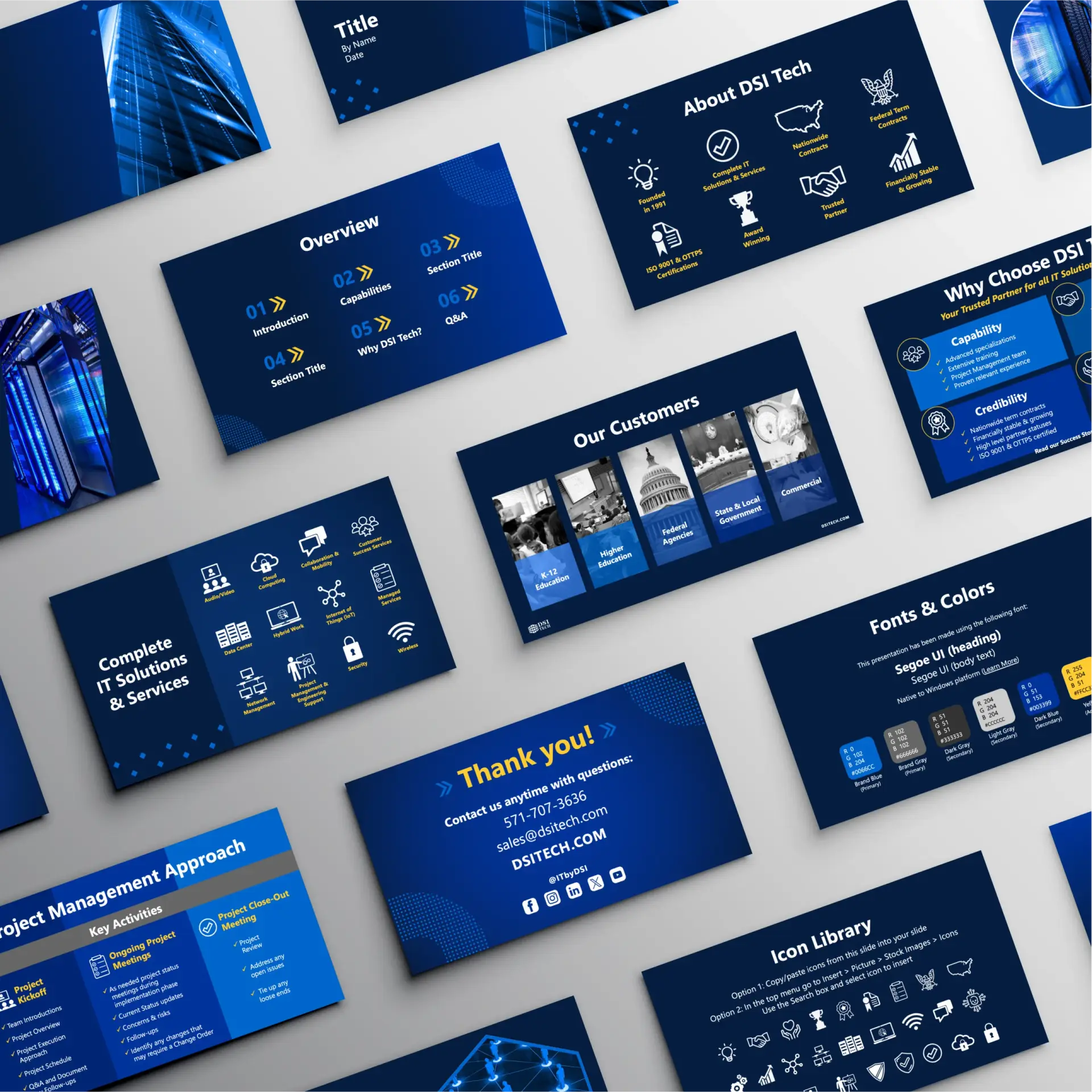
The templates being used for presentations were becoming stale and outdated for both content and design. I researched new design ideas, learned more about PowerPoint tips & tricks, wrote fresh content, and created new templates.
I designed adaptable slides that would be simple for team members to add their own content and stay within best practices for a good visual presentation. This resulted in customer presentations that were modern, clean, and easy to read.
My Process
- Learned more about presentation design and PowerPoint software via online tutorials
- Analyzed previous template content and designs
- Researched new content and design ideas
- Created outline and gathered/wrote content
- Set up theme branding and template elements
- Created graphics
- Added placeholders and notes for user best practices
- Reviewed drafts with team and implemented feedback
- Created additional template files for specific topics (Company Overview, Customer Success, Managed Services, etc.)
- Shared files internally through SharePoint
Tools Used
- Adobe Illustrator, Photoshop
- Canva
- ChatGPT AI (for research)
- Microsoft PowerPoint, SharePoint
Worked With
Customer Success Manager, Executive Vice President, HR Director/Team, Vice President of Technical Services